The first question is not “Should this be animation or live action?” It is “What does someone need to understand, believe or do after watching?” Choose the visual language around that answer.
Explainer video styles include character animation, motion graphics, kinetic typography, 3D, product demonstrations, live action, whiteboard, stock-led editing and mixed media. These are useful creative approaches, not rigid categories. A strong film can combine them. What matters is whether each choice makes the story clearer and more distinctive.
Start with the explanation, not the reference reel
A reference reel can make a team agree on a look before it agrees on a message. Everyone likes the transitions. Nobody has decided which customer problem the film needs to solve.
At Spin, we believe the creative brief should establish the audience, the change you are offering, the evidence behind it and the next step. Then style becomes a strategic choice. An abstract animation might make an invisible system understandable. A real product demonstration might remove doubt about how something works. A customer speaking in their own words might provide the credibility the story needs.
Write the central promise in plain language first. If the team needs a shared structure, use a message house to connect the promise, supporting messages and proof. A film should express that structure, not attempt to include every detail in the document.
Choose a dominant approach. Combine styles when the story gives each one a job.
Nine explainer video styles and when to consider them
1. 2D character animation
Character animation can put a person’s problem at the center of the explanation. It gives you control over the world, the pacing and what the viewer sees. That can be useful when the story involves an experience that would be difficult to capture literally.
The risk is a familiar formula: frustrated person, floating icons, instant transformation. Build the character around a specific tension. Let the audience recognize the situation before the product resolves it. Avoid implying results you cannot support.
2. Motion graphics and animated diagrams
Motion graphics can explain relationships, flows, systems and changes over time. Shapes, lines and labels can make an invisible process visible without pretending it is a physical object.
Give every movement a purpose. A connection should show a connection; a change in scale should mean something. If elements are moving simply to keep the frame busy, the design may be competing with the explanation.
3. Kinetic typography
Animated type can give language rhythm and emphasis. It is worth considering when a sharp verbal idea carries the story or when an execution needs to communicate without relying entirely on narration.
But a fast sequence of words is still a reading task. Test the pace at the actual display size. Use short phrases, clear hierarchy and enough time to absorb the message. Plan for longer translated copy before the animation is locked.
4. 3D animation
3D can reveal construction, scale, material, spatial relationships or a perspective that would be difficult to film. It can also create a distinctive imagined world for a brand idea.
Choose it because dimensionality adds meaning. Ask what the viewer would miss if the sequence were flat. Scope depends on modeling, assets, rendering, movement and revisions, so “3D” alone is not a useful estimate of cost or production time.
5. Screencast and product demonstration
A real interface can answer a practical question: what happens when I use this? A guided demonstration can make a workflow tangible and show the steps that support the product claim.
Show the path that matters, not every menu. Use an approved environment with appropriate demo data, and separate current features from future plans. Plan updates if the interface changes. Small UI details that work on a desktop may disappear in a mobile placement.
6. Live action
Live action can make the people, place and practical use of a product central to the story. Interviews, demonstrations and observed situations can provide specificity that a generic visual metaphor cannot.
Real people do not automatically make a film convincing. Their contribution needs to be relevant, credible and well supported. Decide what must be captured in camera and what graphics can clarify. Casting, access, locations and approvals affect the scope as much as the label “live action.”
7. Whiteboard and drawn explanation
A drawing that builds over time can help explain a sequence or develop an idea piece by piece. The visual progression should follow the reasoning, so the audience sees why each new element belongs.
Do not choose a drawing hand merely because the format is familiar. Ask whether the act of drawing makes the idea easier to follow. A custom illustrated system can keep the approach connected to the brand.
8. Stock-led editorial
Licensed footage can support a story when the available material genuinely fits the audience, context and message. Editing, sound, typography and art direction can give those assets a coherent point of view.
The limitation is specificity. A generic meeting does not demonstrate your product, your team or a customer’s results. Review usage rights and avoid implying that stock subjects are actual customers or employees. Finding the right material can take time; stock is not automatically the simplest route.
9. Collage and mixed media
Mixed media combines approaches such as photography, illustration, type, live action and animation. It can give a film a distinctive texture while allowing different parts of the explanation to use different tools.
The challenge is coherence. Define a shared palette, type system, compositional logic and motion behavior. A change in medium should mark a meaningful shift, not make the film feel like several unrelated references joined together.
Match the visual proof to the question
There is no universal winner among these styles. Shortlist the approaches that can show the evidence your audience needs, then test them against the brand, placement and production constraints.
What does the viewer need to see?
Consider a guided demo or live demonstration.Check: Is the experience accurate and readable?
Consider motion graphics, diagrams or purposeful 3D.Check: Does the visual explain the relationship?
Consider character animation, live action or mixed media.Check: Is the situation specific to the audience?
Consider a distinctive metaphor, typography or hybrid approach.Check: Could another brand use it unchanged?
For a broader view of how different executions serve a brand, see our guide to brand and marketing video styles. Keep the choice connected to your brand strategy and content plan, rather than treating the video as a separate visual exercise.
A Spin example: explain the benefit through a story
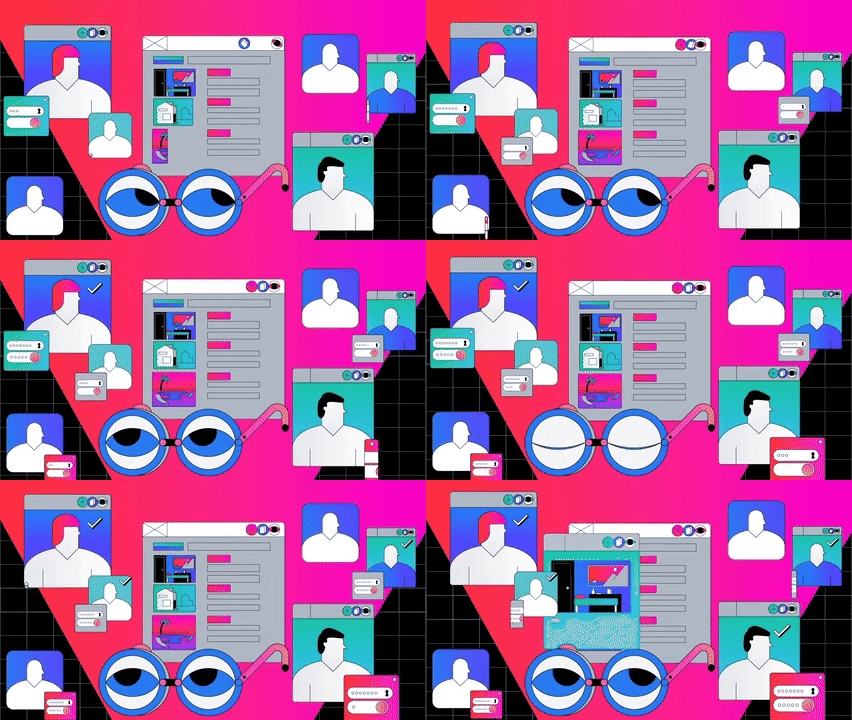
For Auth0’s animated brand explainers, Spin used character-led journeys to communicate product benefits across areas including no-code integrations and private cloud. The approach moved beyond literal pictures of technology and gave the explanation a human point of entry.
The lesson is not that every software film needs a character. It is that an enterprise subject does not have to look like a technical diagram. A story can establish why something matters; a demonstration or diagram can then provide the detail. Decide what each part needs to accomplish.
Brief for the whole production, not just the first film
Before approving a direction, name the main placement and the versions you need. A website film, a sales presentation and a vertical social edit have different viewing conditions. Define the job of each version rather than assuming a crop will solve the difference.
- Message: one primary takeaway, the proof behind it and the action to follow.
- Assets: approved product screens, brand files, footage, customer permissions and source material.
- Versions: aspect ratios, languages, captions, cutdowns and any sound-off executions.
- Production: budget range, decision-maker, review stages and delivery dates.
- Maintenance: what is likely to change and who will keep the film current.
Plan accessibility while scripting and storyboarding. The W3C guide to accessible audio and video covers captions, transcripts, description of visual information and accessible players. Review the requirements for the actual content and context. Check caption accuracy and make sure essential meaning is available to people who cannot see or hear part of the film.
Test the explanation before polishing the execution
Show a script, storyboard or rough animatic to someone outside the project. Ask them who the offer is for, what problem it solves, why they should believe it and what happens next. Listen to their answer before explaining what you meant.
If the takeaway is unclear, fix the story while changes are still manageable. Then review a representative sequence at its intended size and pace. Check whether the narration, visuals and on-screen text help each other, and whether the film still makes sense in its actual viewing conditions.
Common questions about explainer video styles
Which style should a software company choose?
Use a product demonstration when the interface or workflow is the evidence. Consider animation when you need to explain an underlying concept, a customer situation or a relationship the interface does not reveal. A hybrid can do both if the transition has a clear purpose.
Is animation less expensive than live action?
Not necessarily. Compare actual scope: design complexity, number of scenes, existing assets, shoot requirements, revisions, versions and updates. A tightly scoped shoot and a complex animation are very different projects.
How long should an explainer video be?
Long enough to do its specific job, with no unnecessary detours. Start with the audience question, placement and desired action. If the script is trying to introduce the brand, demonstrate every feature and answer every objection, consider separate assets.
Choose a direction your brand can own
Spin connects strategy, storytelling, design, motion and production. We can help resolve the message, choose a visual approach and build an explainer that belongs to your brand. Talk with us about what you need your audience to understand.